


 By Mary J. Carey
Bitdefender is known to consumers for its antivirus software, but it is a newcomer to the field of password MANAGER. This can be seen in the Bitdefender Password Manager application. While it offers essential tools for generating, managing, and validating your credentials, it lacks the organizational features, business functions, and family support that you’ll find in more established password managers like LastPass, Keeper, and Dashlane.
You need a Bitdefender account to download and activate the password manager. Once you have logged in, you will be prompted to create a master password. Bitdefender immediately evaluates its strength and generates a recovery key that allows you to recover your data if you have forgotten your master password. You will be prompted to download a PDF file with this key and save it securely. Every time you change your master password, Bitdefender generates a new recovery key.
From there, all you have to do is download the password manager. There is no stand-alone app or web interface for use on the desktop, but only a browser extension for Firefox, Chrome, Safari and Microsoft Edge. Opera and alternative browsers such as Brave and Vivaldi are currently not supported.

You can import passwords from multiple password management apps and browsers, including 1Password, LastPass, Dashlane, Sticky Password, Firefox, Chrome, and Edge. I exported my data from LastPass as a CSV file and then imported it into Bitdefender’s app via a simple drag-and-drop interface without any problems. Bitdefender also supports data transfer in JSON, XML, TXT, 1pif and FSK formats.
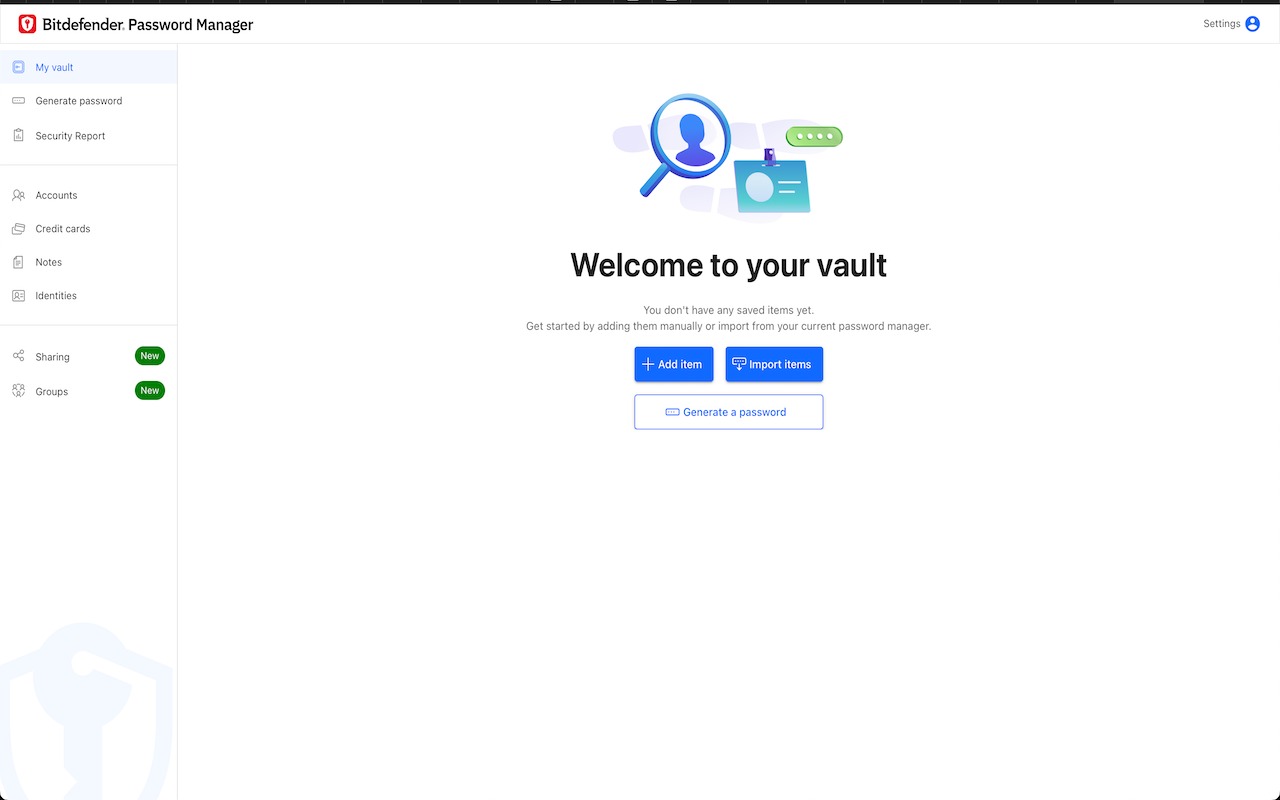
All the important functions that you expect from a consumer password manager can be found here. Bitdefender can automatically save your credentials and payment cards, automatically fill in your data, generate strong passwords and identify weak, leaked, old and duplicate passwords. The app can automatically collect usernames and passwords when you log in to websites, or you can add new accounts manually. In the latter matter, you have the opportunity to automatically generate a strong password of up to 32 characters, evaluate the password strength, add notes, enable automatic login and mark it as a favorite account in the same window.
Although it is limited to a small extension window, the application’s interface is easy to use. It is divided into tabs to view your accounts, password generator and security report and secure your browsing instantly. Additional options, including payment method and identity information, as well as app settings, can be found in the main menu.
Given Bitdefender’s experience with cybersecurity solutions for homes and businesses, it’s no surprise that the password manager uses the recent military—standard cryptographic algorithms-AES-256—CCM, SHA512, BCRYPT, HTTPS and WSS- to encrypt the transmission of your data. All data is encrypted and decrypted locally on your device, so no one but you, not even Bitdefender, can access your information.
Bottom line
Bitdefender Password Manager is a simple solution for managing your passwords, payment card details and identity information. If you are new to using password managers, it provides an easy way to get used to these tools and their key features. However, if your requirements go beyond daily password management, you may soon reach your limits. For organizational purposes, it is often useful to group passwords, for example, by website or service type, but this is not possible with the application of Bitdefender. Password management for a whole family is also not. And if you’re working with hundreds of passwords, you’re not found the extra space provided by a desktop app or a web interface. In these matters, a more robust password manager like Dashlane or LastPass is worth considering.
Edit Bitdefender Password Manager Review